Digital business card for iPhone
Remember
everyone you
meet
Tap your card. They save you.
You remember them.
Free · No app for them · Invite only, for now
01 Tap
One card, every phoneno app, no account
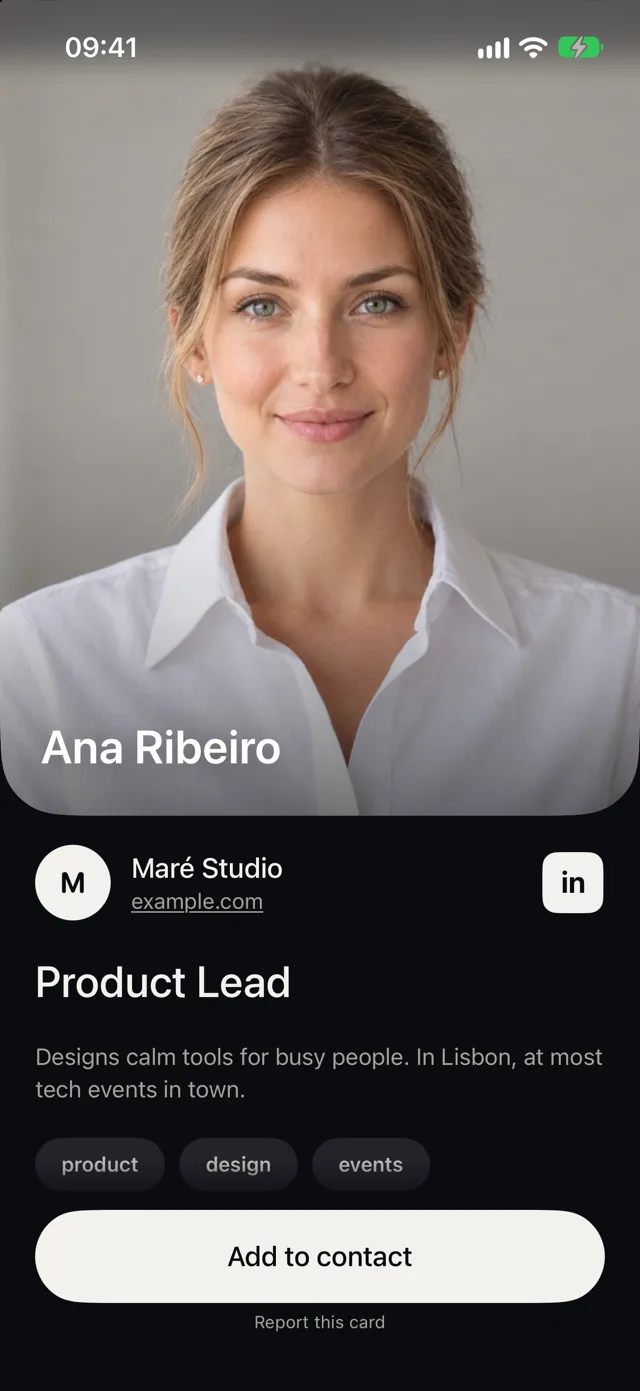
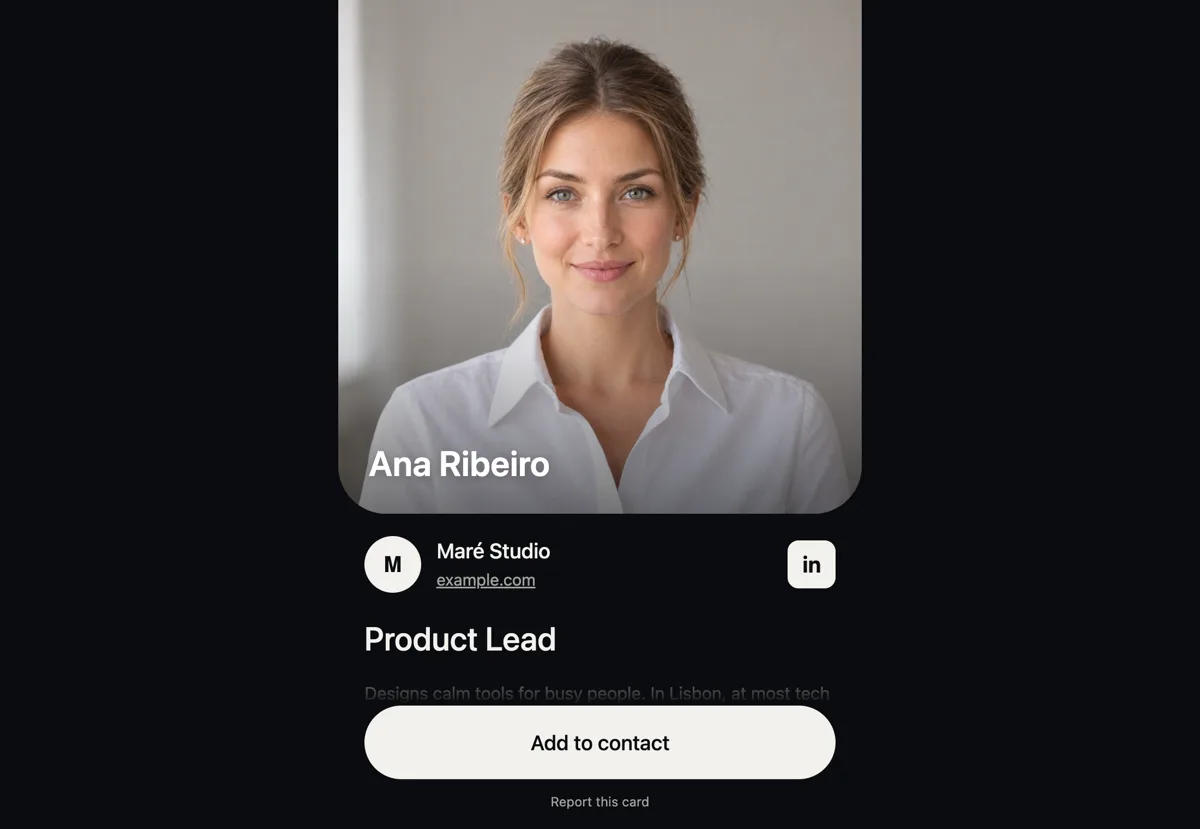
Your card opens in an App Clip on any iPhone, with your photo, role and links, LinkedIn first. Android phones and computers get the same card in the browser.
- Tap. Hold the card to the top of an iPhone, or scan its QR.
- See. Your photo, role and links open at once.
- Save. One button adds you to their contacts.
02 People
Everyone you metand what comes next
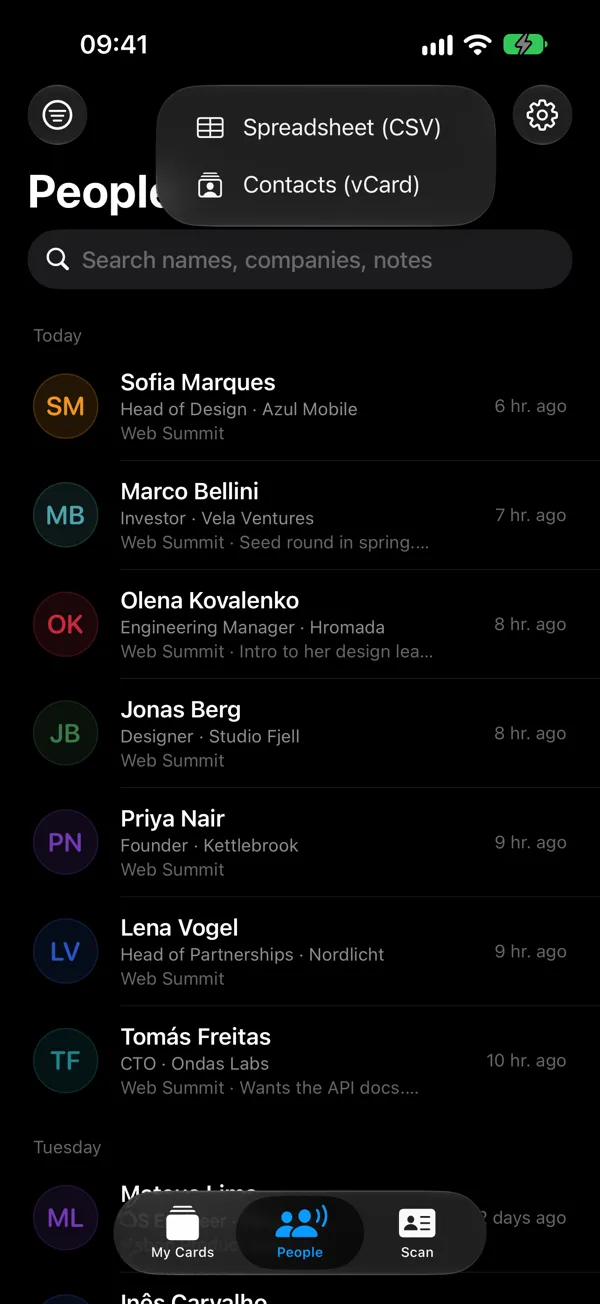
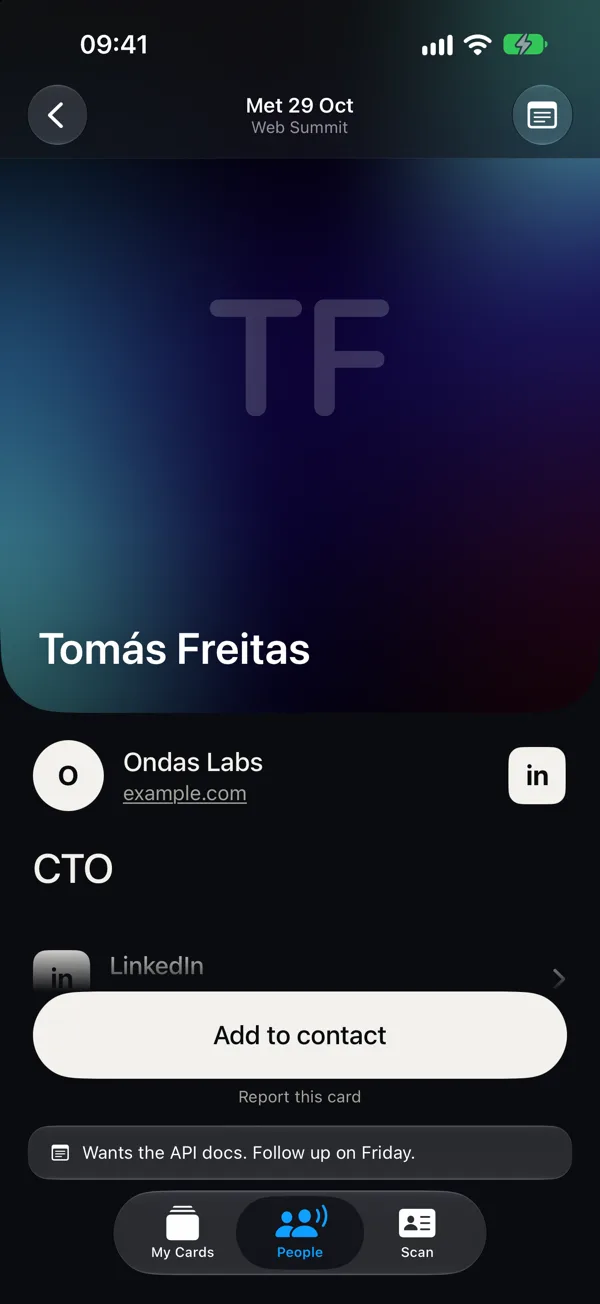
Every card you open is kept in People, with photo, title and company, and works offline. Say what you talked about and your iPhone writes it down. Set a reminder to follow up, ask Siri who you met at an event, and take the list with you as a spreadsheet or contacts.
- Notes, typed or by voice
- Remind me to follow up
- Ask Siri who you met
- Where you met, per event
- Export to CSV or vCard
- Kept on your iPhone
03 Share
Your QR, a second awayeven with the phone locked
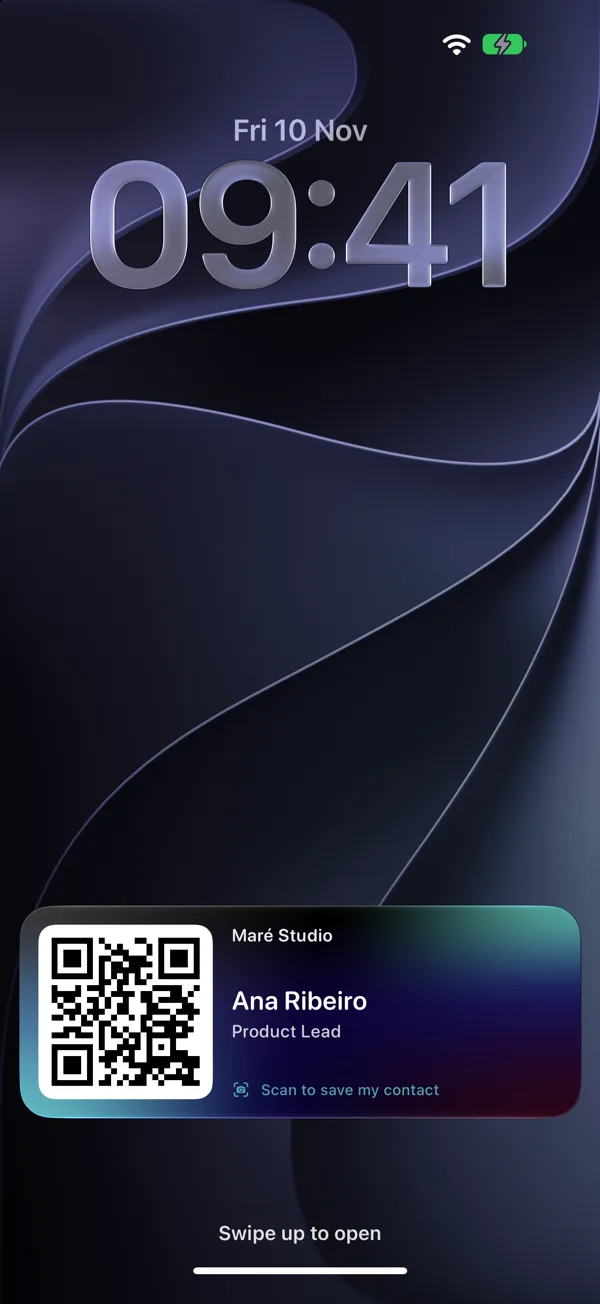
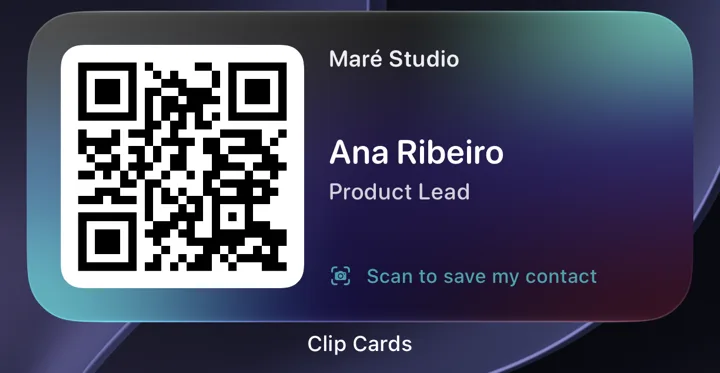
No card at hand? Your QR is a gesture away: on the Lock Screen during an event, in a widget, in Apple Wallet, or from Siri. Put it in your email signature and behind you on video calls. And any sticker or tag becomes a Clip Card, with a link of its own: lose it, switch it off in the app, and your card keeps working.
- Event mode, up to 8 hours
- Home and Lock Screen widgets
- Apple Wallet pass that updates itself
- Siri, Spotlight, Action button, Control Center
- Email signature, call background, printable QR
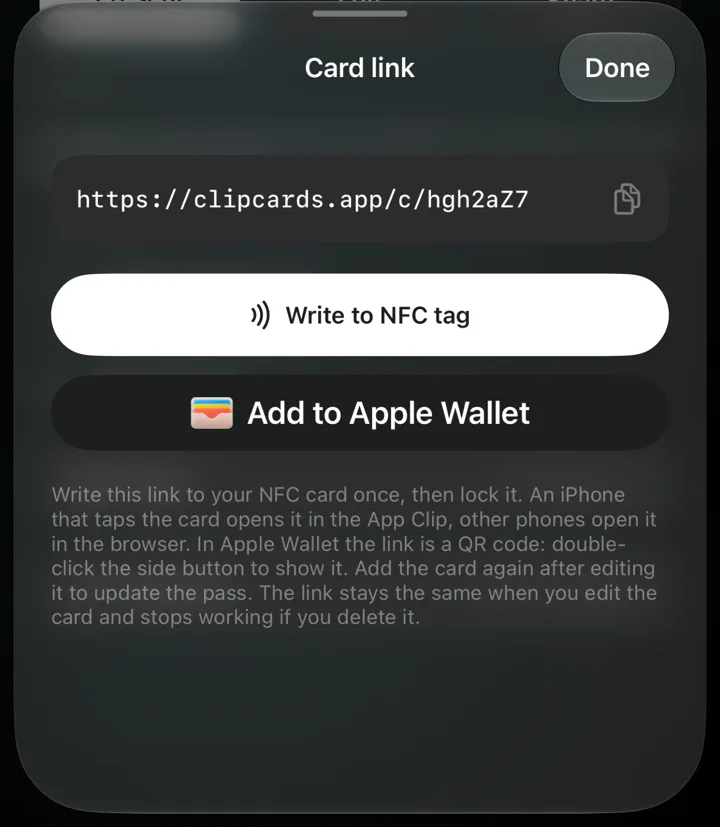
- Your own link: clipcards.app/c/your-name
- A link per NFC tag, switched off if lost
04 Scan
Paper cards tooread on your iPhone
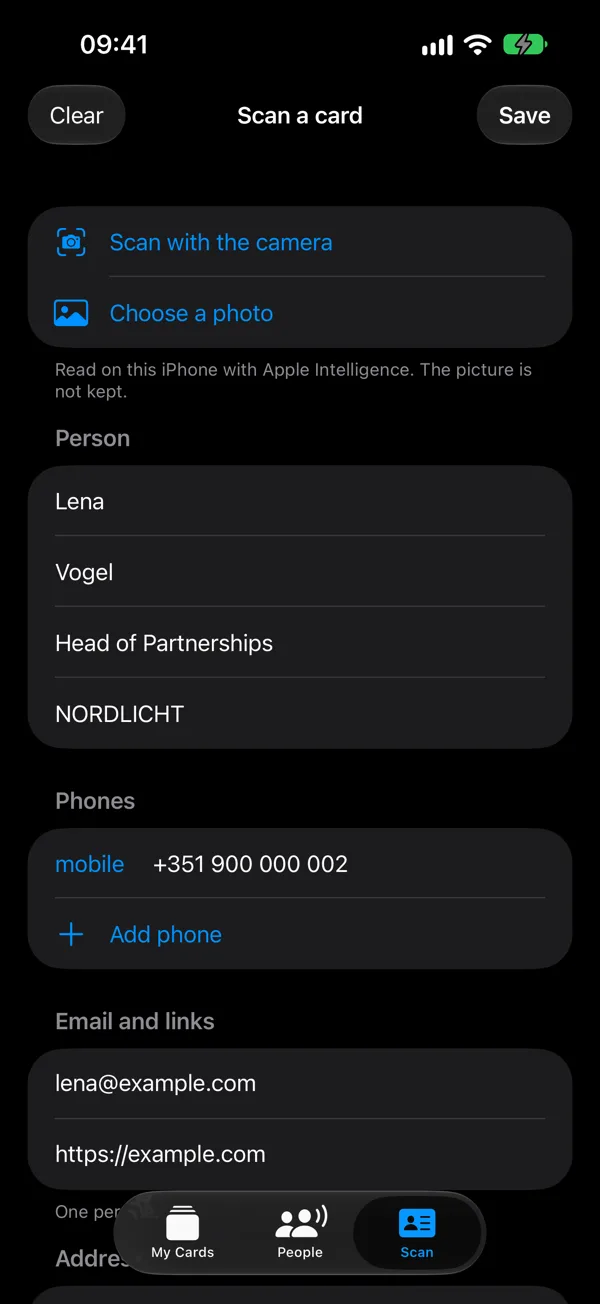
Got a paper card instead? Open the Scan tab and point the camera at it, or pick a photo. With Apple Intelligence, the name, company and title are picked out for you. Phones, emails and links come straight from the printed text. Conference badges too: their QR codes, vCards and LinkedIn links. Check, then save.
- Its own tab, the camera opens at once
- Apple Intelligence where available
- Badge QR codes and LinkedIn
- The picture is not kept

05 Stats
See what workedwithout tracking anyone
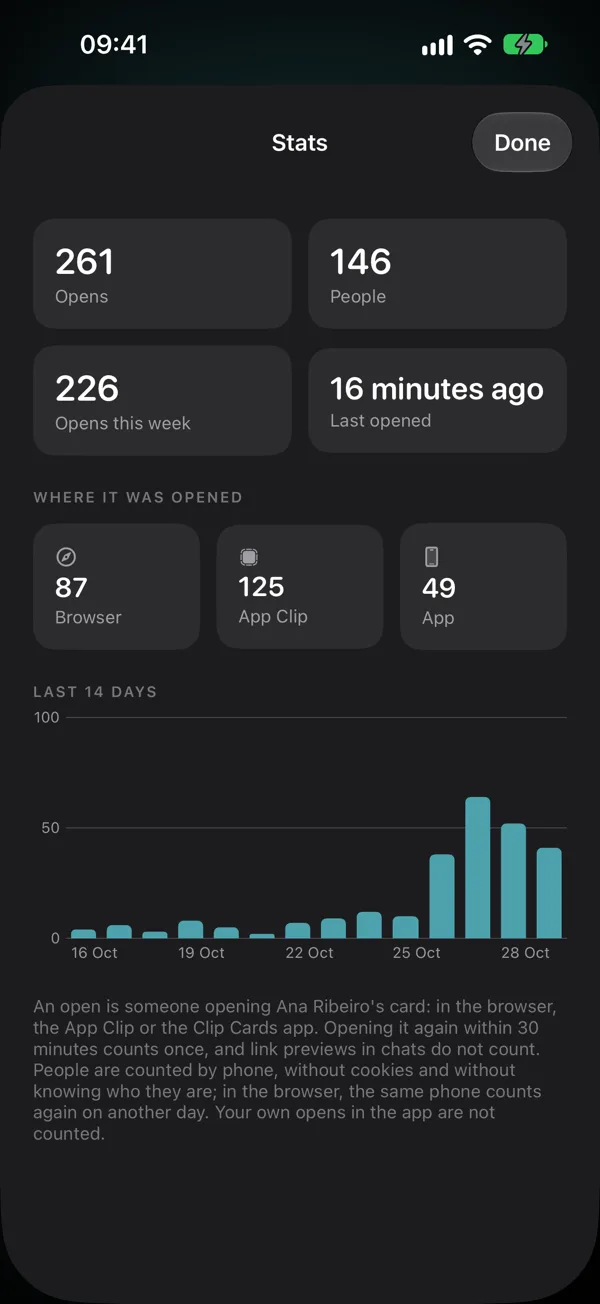
How often your card was opened, by how many people, and where: a browser, the App Clip or the app. No cookies. Link previews in chats and your own opens don't count.
- Opens and people
- Browser, App Clip or app
- The last 14 days
- No cookies
No ads.
No ad trackers.
No cookies.
- People who read your card
- Need no account and install nothing.
- People, notes and reminders
- Stay on your iPhone.
- Paper cards and voice notes
- Are read on the iPhone. The picture and the recording are not kept.
- Your cards
- Live in the EU. Delete your account and every card from the app. Privacy policy
Before you aska few things people want to know
Does the other person need the app?
No. On an iPhone your card opens in an App Clip, a small part of the app that needs no install. Android phones and computers open the same card in the browser, with a button that saves your contact.
Is Clip Cards free? What's the catch?
The app is free, with no subscription and no paid plan. The catch, for now: it is invite-only, and you need an iPhone with iOS 26 to make and share your card. People who read it can use any phone.
Does it work with Android?
Yes, for the people you meet. Android phones with NFC open your card in the browser when they tap it, and any phone can scan your QR. Saving your contact takes one button. The app for making your card is iPhone only.
Do I need a Clip Cards card?
No. Share your QR from Apple Wallet, the Lock Screen, a widget or Siri, send your link, or write it to any NFC sticker or tag from the app. How the NFC card works
Can I add my card to Apple Wallet?
Yes. In the app, Card link, then Add to Apple Wallet, puts your QR in Wallet. Edit the card and the pass updates itself. It is also on the Lock Screen in event mode, in a widget, and Siri shows it when you ask.
How is it different from Popl, Blinq or HiHello?
Most digital business card apps are built for sales teams, with CRM sync and team plans. Clip Cards is built for the person holding the card, on iPhone: an App Clip instead of a web page, your QR on the Lock Screen, Siri, and notes and paper card scans that stay on your iPhone. It has no CRM sync or team admin yet. See how they compare
Does scanning paper cards need Apple Intelligence?
No. With Apple Intelligence the name, company and title are picked out for you. Without it, the iPhone fills the same fields by itself. Either way the card is read on your iPhone and the picture is not kept. More about the scanner
I lost my card. Now what?
Open the card in the app, then Card link, and switch off its tag. Every card, sticker or tag you write in the app gets its own link for its chip, so only that one stops working: whoever taps it sees "This card was switched off", and your QR, links and other tags keep working. A QR printed on a card opens your card's main link, which stays on; to retire that too, make a new card in the app and delete the old one.
Can I take my contacts with me?
Yes. People, then Share, gives you a spreadsheet (CSV) or contacts (vCard) of everyone on screen, with where you met and your notes. It works offline.
How do I get in?
Clip Cards is invite-only for now. Write to hello@clipcards.app and tell us where you will use it. The app is free and needs an iPhone with iOS 26.
Clip Cards is invite-only, for now
We are bringing people on one by one. Tell us where you will use it.
Request an invite