NFC business card
An NFC business card that opens on any iPhone
Hold it to the top of an iPhone. Your card opens at once in an App Clip, with nothing to install, and your contact is saved in one tap.
How it works
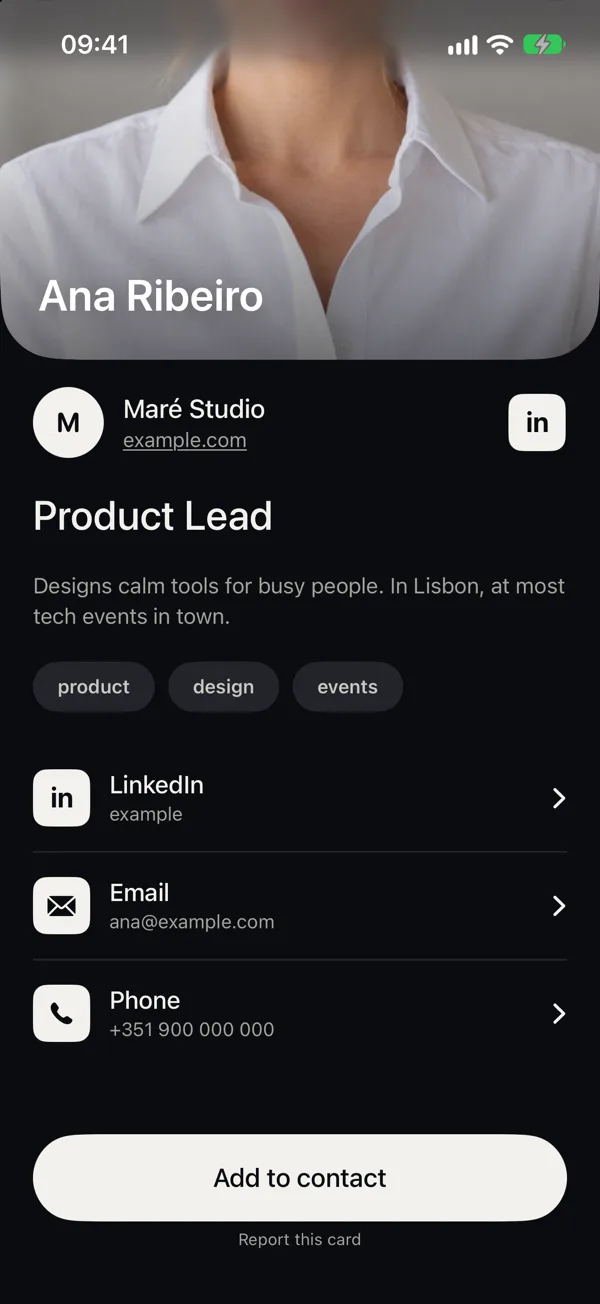
The chip in the card holds one thing: a link to your card. When an iPhone reads it, iOS opens the Clip Cards App Clip, a small part of the app that runs without an install. The person sees your photo, role, company and links, LinkedIn first, and adds you to their contacts with one button.
- Tap. Hold the card to the top of an iPhone with the screen on.
- See. Your photo, role and links open at once.
- Save. One button adds you to their contacts.

Every phone, not only iPhone
Android phones with NFC open the same card in the browser when they tap it. Phones without NFC scan the QR on the back of the card; computers open your link. Nobody needs an account, and the page sets no cookies.
Any NFC tag can be your card
Write your link from the app to a Clip Cards card, or to any writable NFC sticker or tag. Each one you write gets its own link. Lose one, switch it off in the app: whoever taps it sees that the card was switched off, and your QR, your link and your other tags keep working.
No card at hand?
Your QR is a gesture away: on the Lock Screen during an event, in a widget, in Apple Wallet, from Siri, Spotlight, the Action button or Control Center. Put it in your email signature and behind you on video calls.
What the card holds
Only a link. No contact details are stored on the chip and no photo is printed on the card, so a lost card shows little about you, and its tag can be switched off. Your card itself can be changed in the app at any time; the link stays the same.
Clip Cards is invite-only, for now
Free, for iPhone with iOS 26. Tell us where you will use it.
Request an invite